
VOR EMS / SPECTRUM REQUEST REVIEW
Review the request.
Understand the coverage.
Review spectrum request parameters alongside RF coverage, terrain propagation, and triage status.
Start with the spectrum request and its parameters.
THE PRODUCT EXPERIENCE
Connect request details
to coverage context.
The Triage Queue places request parameters beside mapped RF coverage and terrain propagation. A visible disposition status identifies the review state, while the workspace specifies when a reviewer or administrator is required.
The product image could not be loaded.
Open original product view ↗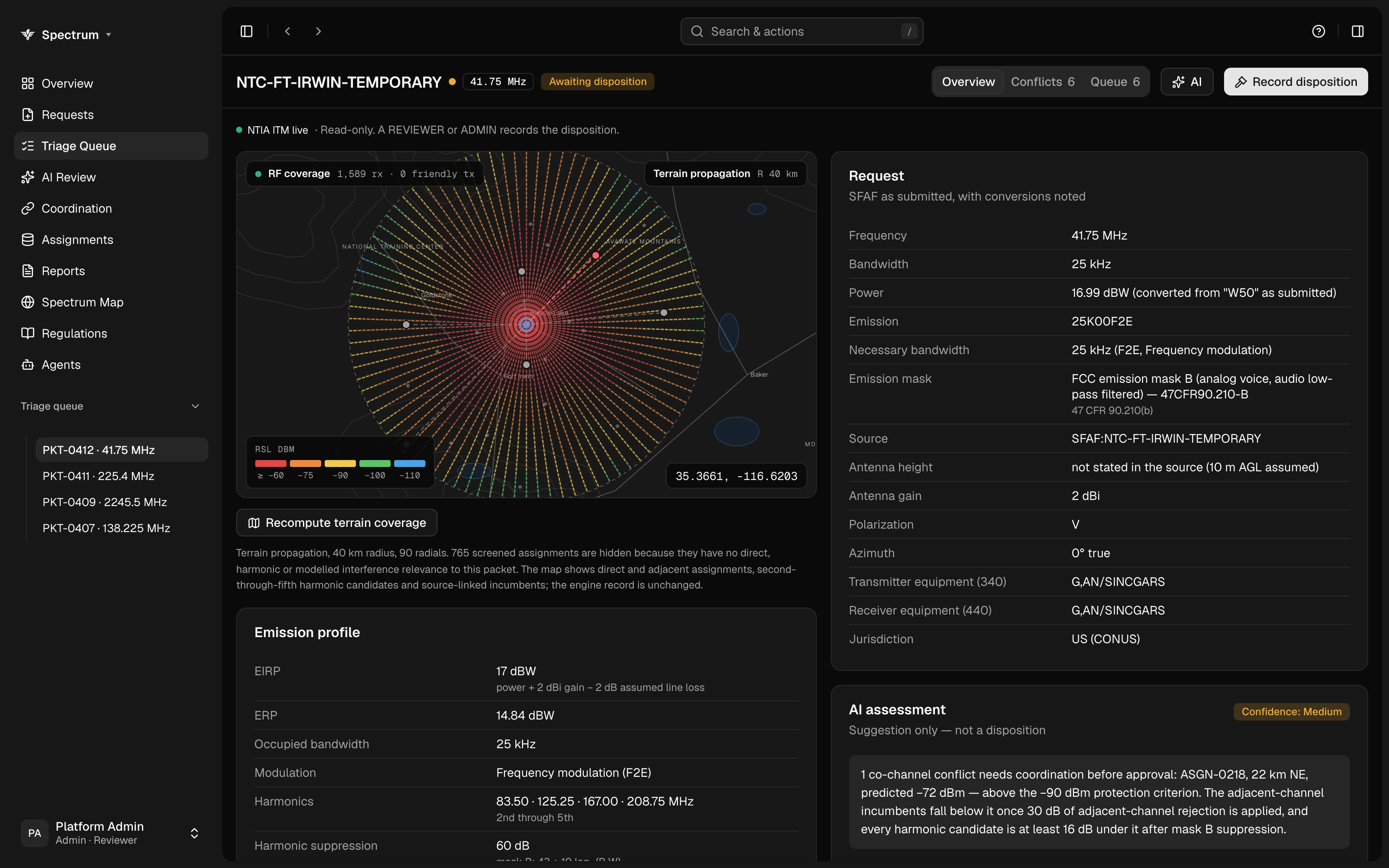
CONNECTED CAPABILITIES
Keep the work in context.
01 / CAPABILITY
Request parameters
Inspect frequency, bandwidth, power, emission, and antenna details.
02 / CAPABILITY
RF coverage
Examine mapped coverage and its received signal level legend.
03 / CAPABILITY
Terrain propagation
Review terrain propagation context alongside the request.
04 / CAPABILITY
Triage disposition
Keep the request status and required reviewer role visible.
LET’S PUT VOR TO WORK
See the application.
Explore your workflow.
Bring us a workflow. We’ll show you how the data, agents, and decisions connect.